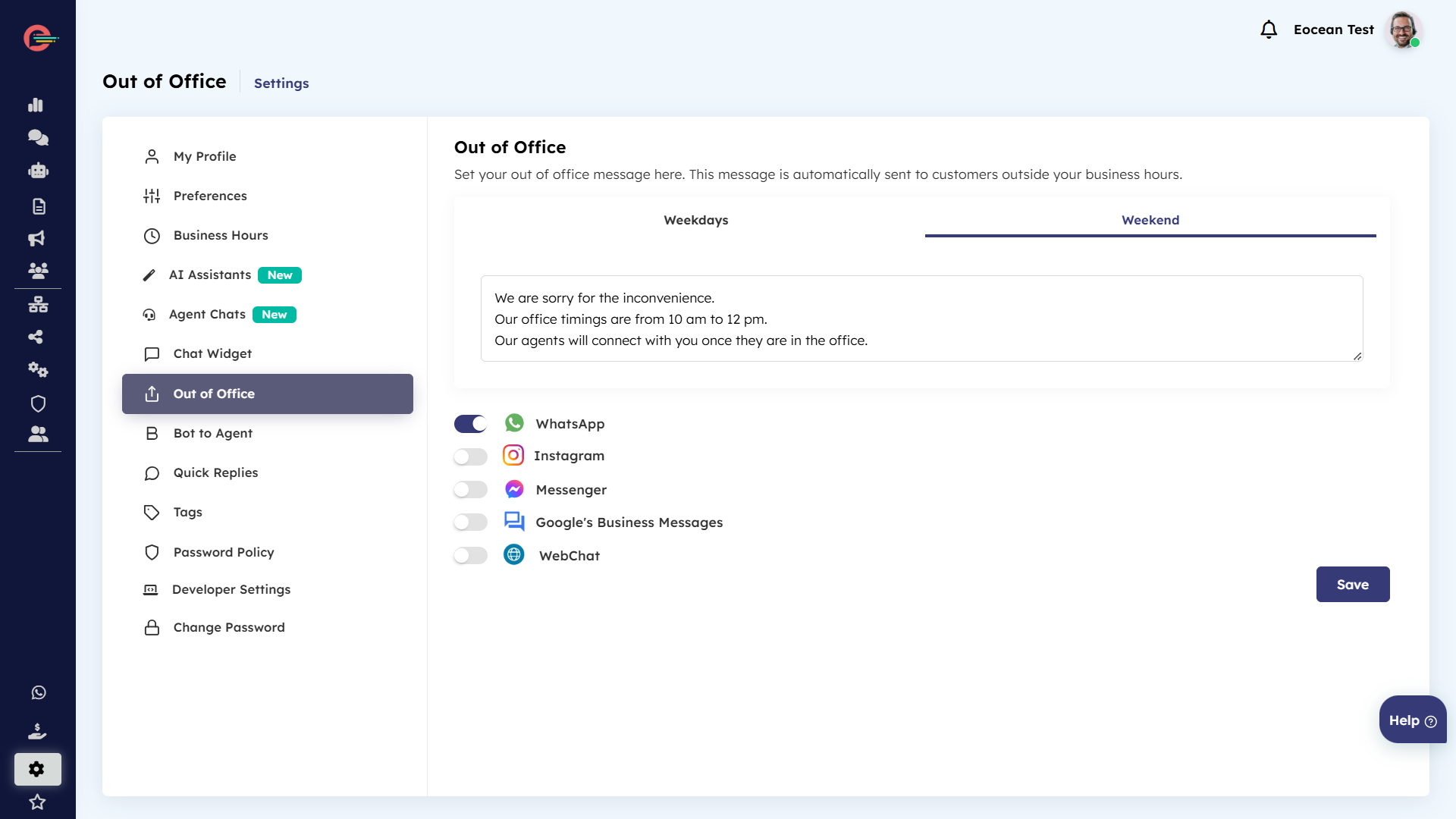
Set up Out of Office reply
In Digital Connect, you can set up an auto responder to reply to incoming conversations from customers outside your organization’s business hours
There are two types of out of office replies:
- Weekdays replies send responses to customers outside your business hours
- Weekend replies send responses to customers on weekends (see setup opening hours)
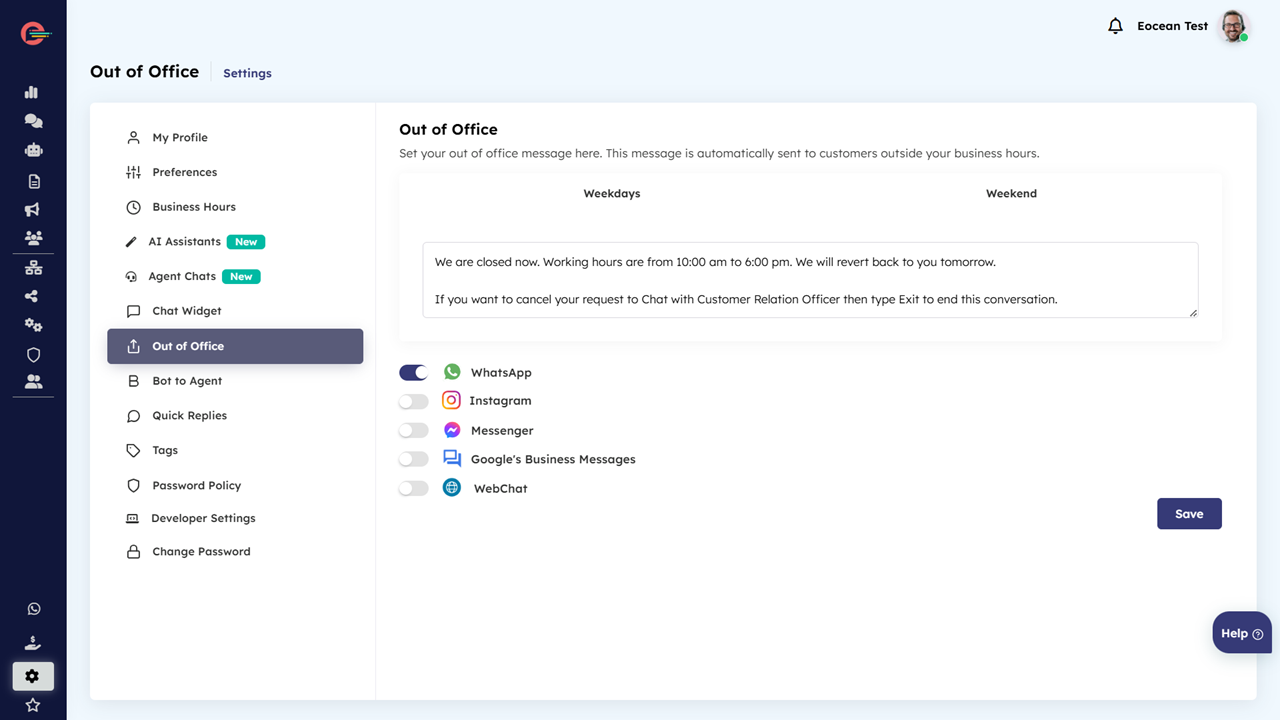
To setup weekdays out of office reply:
- Click on Settings > Out of office and then click on weekdays tab
- Click on WhatsApp icon and configure the Outside Business Hours Message in the text box below and click save
To setup weekend out of office reply:
- Click on Settings > Out of office and then click on weekend tab
- Click on WhatsApp icon and configure the Weekend Message in the text box below and click save